
Introduction
IP CCTV cameras have become increasingly popular due to their superior image quality, flexibility, and ability to integrate seamlessly with modern network infrastructure. Unlike traditional analog cameras, IP cameras transmit digital video data across a network, making them ideal for properties that require remote monitoring and scalable security solutions. For beginners, however, installing an IP CCTV camera can seem complex because it involves both physical installation and network configuration. Understanding the complete process helps remove confusion and ensures reliable results, especially for users planning CCTV Installation in Dubai, where network stability and system performance are critical.
Installing an IP CCTV camera requires careful planning, correct placement, and a solid understanding of how cameras communicate with recorders or network storage. Rushing the process often leads to connection problems, delayed video feeds, or cameras that appear offline. Beginners who understand the installation steps are better prepared to avoid these issues and ensure their systems function smoothly from the start.
This guide explains how to install an IP CCTV camera step by step, covering planning, mounting, network setup, configuration, and long-term reliability. It is written to help users understand every stage clearly, whether installing a single camera at home or planning a larger setup.
Planning the IP CCTV Installation
Planning is the most important phase of installing an IP CCTV camera. Before purchasing equipment or drilling holes, users must determine what areas need monitoring and how the camera will connect to the network. IP cameras rely on stable data connections, so understanding the existing network layout is essential. Poor planning often results in cameras placed too far from network points or installed without proper bandwidth consideration.
Camera placement should be decided based on coverage goals rather than convenience. Entry points, pathways, and sensitive areas should be prioritized. Lighting conditions must also be evaluated, as glare or low light can affect image clarity. Planning camera positions ensures optimal coverage without frequent repositioning later.
Future scalability should also be considered. Many users start with one or two IP cameras and later expand their systems. Planning network capacity early allows additional cameras to be added without major changes, especially in environments supported by Advanced Data Networking.
Selecting the Right IP CCTV Camera
Choosing the right IP camera is crucial for system effectiveness. IP cameras vary in resolution, lens type, field of view, and environmental rating. Indoor and outdoor environments require different camera specifications, and selecting the wrong type can reduce system performance.
Resolution affects image clarity and storage requirements. Higher resolution cameras capture more detail but consume more bandwidth and storage. Beginners should balance image quality with network capacity. Lens selection also matters, as wide-angle lenses cover more area while narrower lenses provide greater detail at a distance.
Compatibility with recording devices and network infrastructure should be confirmed before purchase. Ensuring cameras integrate smoothly with existing systems reduces configuration challenges during installation.
Mounting the IP Camera Securely
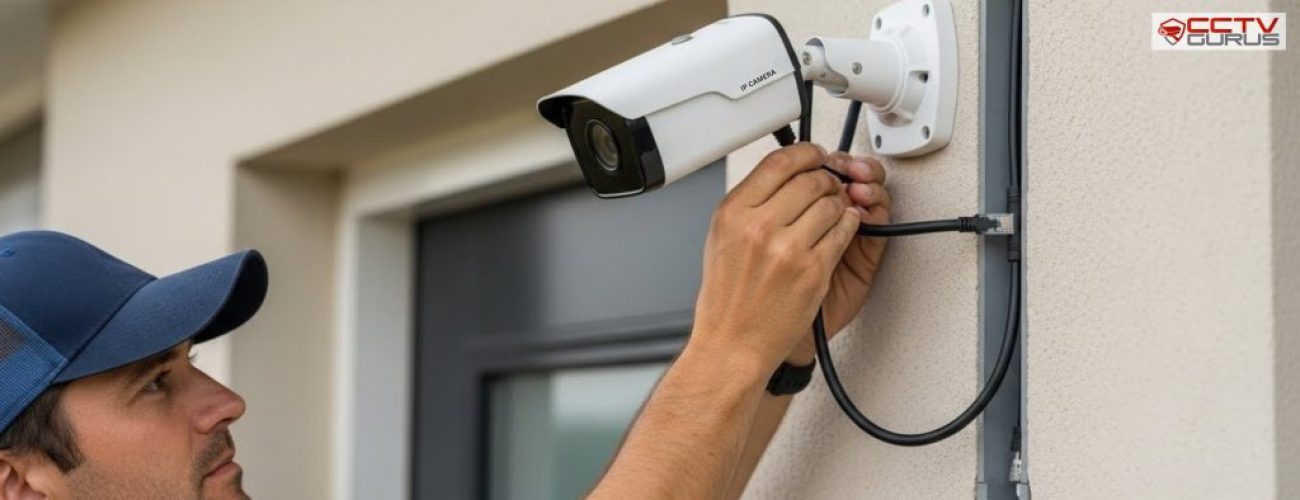
Mounting an IP CCTV camera properly ensures stable footage and long-term reliability. Cameras should be installed on solid surfaces that can support their weight without vibration. Weak mounting surfaces often cause cameras to shift over time, leading to misaligned views and unreliable recordings.
Mounting height should balance security and visibility. Cameras installed too low are vulnerable to tampering, while cameras installed too high may miss important details. Testing camera angles before final tightening helps confirm correct coverage.
Professional installations often rely on Structured Cabling to ensure camera mounts and cable routing are planned together, resulting in cleaner installations and better protection for network cables.
Connecting the IP Camera to the Network
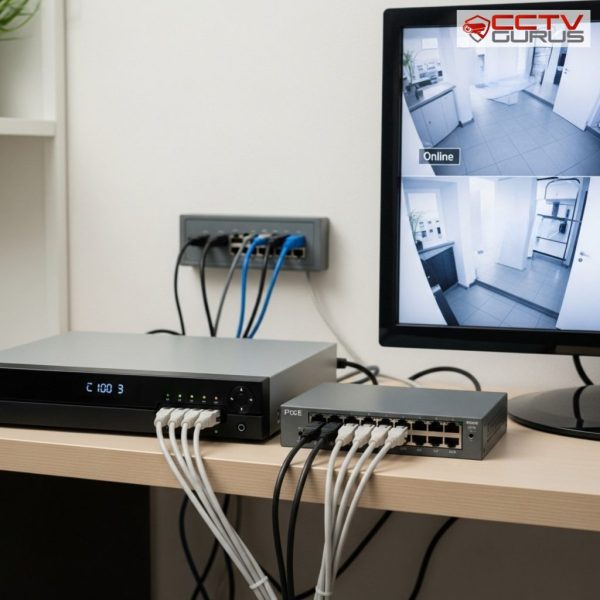
Network connection is what differentiates IP cameras from traditional systems. IP cameras transmit video data over a network, requiring stable connectivity to function correctly. Cameras may connect through Ethernet cables or wireless networks, depending on system design.
Wired connections generally provide more reliable performance, especially for high-resolution cameras. Ethernet cables also support Power over Ethernet, which allows cameras to receive power and data through a single cable. This simplifies installation and reduces clutter.
Network stability is essential for consistent live viewing and recording. Poor connections can cause lag, dropped feeds, or offline cameras, reducing system reliability.
Configuring the Camera and Network Settings
After connecting the camera, configuration is required to integrate it into the system. This includes assigning an IP address, setting authentication credentials, and linking the camera to the recording device or software platform.
Proper configuration ensures the camera communicates correctly with the network and recording system. Incorrect settings often result in cameras appearing offline or inaccessible. Beginners should follow the manufacturer’s guidelines carefully during this stage.
In properties using Audio Visual System Integration, camera configuration may also involve linking feeds to centralized monitoring displays. Proper setup ensures smooth operation across all connected systems.
Setting Up Recording and Storage
Recording and storage configuration determines how footage is captured and retained. IP cameras typically record to network video recorders or network-attached storage devices. Users must decide whether to use continuous recording or motion-based recording.
Storage capacity planning is critical. High-resolution cameras generate large amounts of data, and insufficient storage leads to short retention periods. Understanding storage behaviour helps ensure important footage is preserved. Recording settings should be tested after configuration to confirm footage is stored correctly and accessible when needed.
Integrating IP Cameras With Other Security Systems
IP CCTV cameras often operate as part of a larger security ecosystem. They may be linked with alarms, monitoring platforms, or access management solutions. Systems integrated with the Most Advanced Access Control System Installation can trigger recording when doors open or when access points are used.
Integration improves situational awareness and provides context during security incidents. It also enhances automation, allowing systems to respond intelligently to events. Understanding integration helps users see IP cameras as part of a complete security strategy rather than isolated devices.
Testing and Optimizing the IP CCTV System
Testing is essential after installation. Live viewing, recording, playback, and motion detection should all be verified. Testing during different times of day helps identify lighting or network-related issues.
Optimization may involve adjusting camera settings such as brightness, contrast, and motion sensitivity. Small changes can significantly improve footage quality and system responsiveness. Regular testing ensures long-term reliability and performance.
Maintaining IP CCTV Cameras Over Time
IP CCTV systems require ongoing maintenance to remain effective. Network updates, firmware upgrades, and physical inspections help prevent performance degradation. Environmental factors such as dust, weather, or cable movement can affect camera operation. Periodic checks help identify issues early and maintain system stability. Consistent maintenance ensures IP cameras continue delivering reliable surveillance.
Conclusion
Installing an IP CCTV camera step by step requires careful planning, secure mounting, reliable networking, and accurate configuration. Each stage plays a vital role in ensuring clear footage, stable connections, and long-term performance. Skipping steps or rushing installation often results in unreliable cameras and ongoing issues.
When IP camera systems are designed and supported through Trusted CCTV Installation in Dubai, they offer greater scalability, reliability, and ease of management. Professional planning, strong network infrastructure, and correct installation practices ensure IP CCTV systems deliver consistent security and long-term value.