
Introduction
When people talk about CCTV systems, cameras usually receive most of the attention. However, cameras alone do not create a complete surveillance solution. Without a recording device, even the most advanced camera cannot store footage for later review. This is where the DVR comes in. A DVR plays a central role in many CCTV systems, yet its function is often misunderstood or overlooked by users who focus only on camera specifications. Understanding what a DVR does is essential for anyone planning or using a CCTV system, especially in environments where CCTV Installation in Dubai requires careful planning and compliance.
A DVR is not just a storage box. It is the system component responsible for receiving video signals, processing footage, managing recordings, and allowing users to view and retrieve video when needed. Without a properly configured DVR, footage may be lost, overwritten too quickly, or recorded at poor quality. For beginners, learning how a DVR works helps set realistic expectations and ensures better use of the entire CCTV system.
This guide explains what a DVR is, how it works in a CCTV system, and how it stores footage. It is written to give a clear understanding without technical overload, making it easier to choose, use, and maintain a reliable recording setup.
What is a DVR in a CCTV System?
DVR stands for Digital Video Recorder. In CCTV systems, a DVR is the device that receives video signals from cameras and converts them into digital files that can be stored and viewed later. It acts as the central hub of the surveillance system, connecting cameras to storage and user interfaces. In traditional CCTV systems, cameras send analog video signals through coaxial cables to the DVR.
The DVR then digitizes these signals, compresses the data, and saves it to an internal storage device. This process allows footage to be stored efficiently while maintaining usable image quality. Without a DVR, analog CCTV cameras cannot record footage. The DVR is what transforms live video into a permanent record that can be reviewed, exported, or used for investigations.
How a DVR Receives Video From Cameras
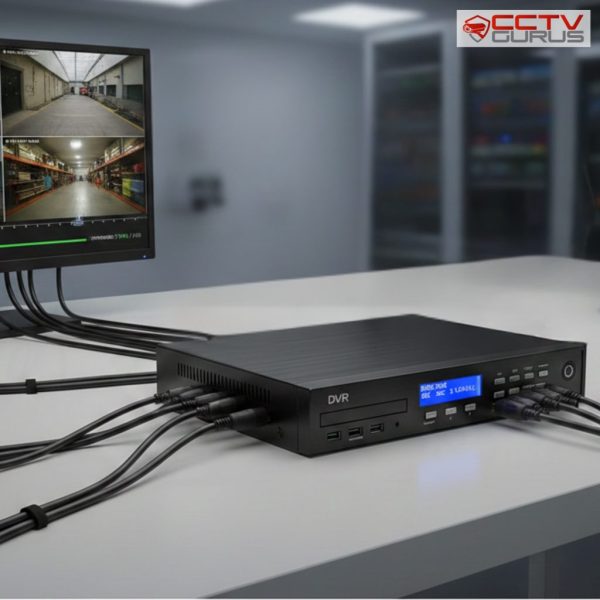
The DVR receives video signals directly from connected cameras. Each camera is linked to the DVR through a dedicated cable connection. This direct connection ensures stable signal transmission without relying on network connectivity. Once the signal reaches the DVR, it is processed in real time. The DVR converts the analog signal into a digital format and prepares it for storage.
This conversion process is critical, as it determines how clear the footage will be and how efficiently it is stored. The number of cameras a DVR can support depends on its capacity. Some DVRs are designed for small systems with a few cameras, while others support larger setups with many channels.
How DVRs Store CCTV Footage
Storage is one of the most important functions of a DVR. The device uses internal hard drives to save recorded footage. These hard drives are similar to those used in computers but are often designed to handle continuous recording workloads. Footage is stored in a compressed format to save space. Compression reduces file size while maintaining acceptable video quality.
The balance between quality and storage efficiency depends on DVR settings and system configuration. Most DVRs record footage in a loop. When storage reaches its limit, the oldest recordings are automatically overwritten by new footage. This ensures continuous recording without manual intervention, but it also means footage retention depends on storage size and recording settings.
Recording Modes and How They Affect Storage
DVRs offer different recording modes that control how and when footage is stored. These modes directly affect how much storage is used and how long recordings are retained.
Common recording modes include:
- Continuous recording, where cameras record at all times
- Motion-based recording, where footage is captured only when movement is detected
- Scheduled recording, where recording occurs during specific hours
Each mode serves a different purpose. Continuous recording provides a complete visual history but uses more storage. Motion-based recording conserves space and makes it easier to find important events. Scheduled recording balances both approaches in predictable environments.
Video Quality and Compression Explained
Video quality in a DVR system is influenced by resolution, frame rate, and compression settings. Higher resolution and frame rates produce clearer footage but require more storage space. Compression technology allows DVRs to reduce file size without losing critical detail.
Modern DVRs use advanced compression methods that improve storage efficiency while maintaining usable image quality. Choosing appropriate quality settings is essential. Excessively high settings may shorten footage retention, while overly low settings may make footage unusable for identification or review.
Playback and Footage Retrieval
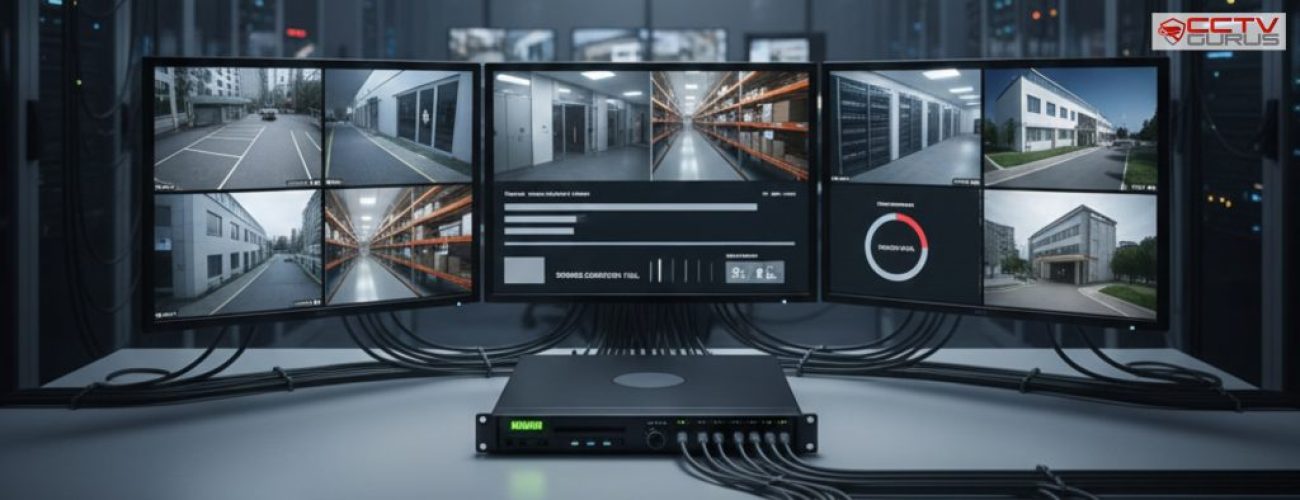
One of the key advantages of a DVR is the ability to review recorded footage easily. DVRs provide playback features that allow users to search recordings by date, time, or camera channel. Playback interfaces are designed to be user-friendly.
Users can pause, rewind, fast-forward, and zoom into footage as needed. Export functions allow footage to be saved to external devices for sharing or evidence purposes. Understanding how to retrieve footage ensures that recordings serve their purpose when incidents occur.
DVR Storage Capacity and Retention Periods
The amount of footage a DVR can store depends on several factors, including hard drive size, number of cameras, recording quality, and recording mode. These factors determine how long footage remains available before being overwritten.
For example, a system with multiple high-resolution cameras recording continuously will retain footage for a shorter period than a system using motion-based recording at moderate quality. Storage planning ensures that retention meets security and operational needs. Proper storage planning prevents situations where important footage is lost simply because storage was underestimated.
DVR vs NVR: Understanding the Difference
While DVRs are used with analog cameras, NVRs are used with IP cameras. Both devices record footage, but they work differently. DVRs process video data at the recorder itself, while NVRs receive already-digitized data from cameras over a network.
This difference affects system design, cabling, and scalability. Understanding whether a DVR or NVR is appropriate depends on camera type and system goals. Both have valid use cases, but they are not interchangeable.
Reliability and Maintenance of DVR Systems
DVRs are designed to run continuously, often for years at a time. However, like all electronic devices, they require maintenance to ensure long-term reliability. Hard drives are the most critical component.
Over time, continuous recording can wear them out. Regular system checks help detect early signs of failure and prevent data loss. Keeping firmware updated and ensuring proper ventilation also improves DVR performance and lifespan.
Common Misunderstandings About DVRs
Many users assume that DVRs store footage forever. In reality, storage is limited, and footage is overwritten unless exported or backed up. Others believe DVRs automatically back up data, which is not always the case. Understanding how DVRs work helps avoid disappointment and ensures footage is available when needed. Education is key to using DVR systems effectively.
How DVRs Fit Into a Complete CCTV System
A DVR works alongside cameras, cabling, a power supply, and viewing devices to form a complete surveillance system. Each component depends on the others for proper operation. If the DVR is poorly chosen or configured, even high-quality cameras may fail to deliver useful results. Balanced system design ensures all components work together smoothly. This integrated approach is essential for reliable surveillance.
Conclusion
A DVR is the core recording device in many CCTV systems, responsible for receiving video signals, processing footage, and storing recordings for later review. Understanding how a DVR works helps users choose the right recording settings, plan storage effectively, and retrieve footage when it matters. Without a properly functioning DVR, a CCTV system cannot deliver reliable security outcomes.
In professional surveillance setups, especially those involving CCTV Installation in Dubai, DVR selection and configuration are handled with care to ensure performance, compliance, and long-term reliability. When cameras and DVRs work together correctly, the result is a dependable system that protects property, people, and peace of mind.