
Introduction
Accessing and downloading CCTV footage is one of the most important functions of any surveillance system. Whether footage is required for security review, incident investigation, or legal purposes, knowing how to retrieve recordings efficiently can save time and prevent data loss. Many users install cameras for protection, but struggle when they actually need to access stored footage. Understanding this process ensures that surveillance systems deliver real value beyond simple recording. This knowledge is essential for property owners relying on CCTV Installation in Dubai, where compliance, clarity, and timely access to footage often play a critical role in security management.
CCTV systems store large volumes of data, and accessing the correct footage requires familiarity with system interfaces, recording modes, and storage settings. Users who are unfamiliar with these elements may accidentally overwrite footage or fail to retrieve important recordings. Learning the correct steps reduces these risks and improves system confidence.
This blog explains how to access and download CCTV footage when needed. It covers recorder access, playback navigation, downloading methods, file formats, security considerations, and long-term footage management in detail.
Understanding Where CCTV Footage Is Stored
CCTV footage is typically stored on a recording device such as a DVR, NVR, or cloud-based platform, depending on system design. Local storage systems save footage on internal hard drives, while some modern systems use remote servers for backup and accessibility. Knowing where footage is stored is the first step toward accessing it efficiently.
Local recorders organize footage by date, time, and camera channel. Users must understand this structure to locate specific events quickly. Without this understanding, searching for footage becomes time-consuming and frustrating, especially during urgent situations.
Storage capacity and recording mode also affect how long footage remains available. Systems that record continuously overwrite data faster than motion-based setups, making timely access essential.
Accessing Footage Through the CCTV Recorder
Accessing footage directly from the recorder is the most reliable method. This typically involves connecting a monitor and mouse to the DVR or NVR and logging into the system interface. Users must enter valid credentials to access playback features. Once logged in, the playback menu allows users to select cameras, dates, and time ranges.
Familiarity with this interface makes locating footage faster and reduces the chance of errors. Users should take time to explore the playback options before an incident occurs. Physical access to the recorder should be restricted. Placing recorders in secure locations protects stored footage from tampering or unauthorized deletion.
Accessing CCTV Footage Remotely
Many modern CCTV systems allow remote access through mobile applications or web portals. This feature enables users to view and download footage without being physically present at the property. Remote access requires proper network configuration and secure login credentials.
Stable internet connectivity is essential for smooth remote playback. Systems supported by Data Networking Services are often optimized for this purpose, reducing lag and connection issues. Without proper network support, remote access may be unreliable. Users should test remote access regularly to ensure it functions correctly when needed. Familiarity with remote interfaces simplifies footage retrieval during critical moments.
Navigating Playback and Finding the Right Footage
Finding specific footage requires understanding how playback tools work. Most systems allow users to filter recordings by date, time, and camera. Some also include timeline views that visually display recorded activity. Playback speed controls help users scan footage without missing important details.
Pausing and frame-by-frame viewing allow closer inspection of events. Learning these tools improves efficiency and accuracy during footage review. Accurate navigation reduces the risk of overlooking key moments and ensures the correct footage is selected for download.
Downloading CCTV Footage to External Devices
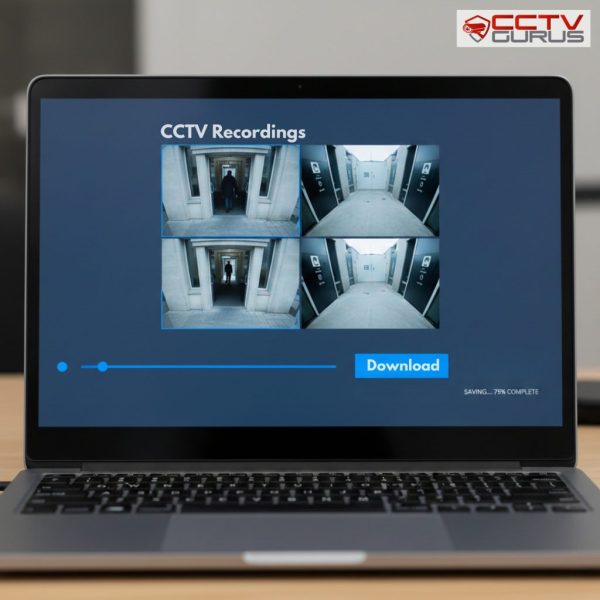
Downloading footage allows users to store recordings externally for sharing or long-term archiving. Most recorders support downloading footage to USB drives, external hard disks, or network locations. Users must select the correct file format and ensure sufficient storage space.
During download, users should avoid interrupting the process. Power loss or device removal can corrupt files. Proper handling ensures footage remains usable and intact. Downloaded footage should be verified by playing it on another device to confirm successful transfer.

Understanding CCTV Video File Formats
CCTV systems use different video file formats depending on the manufacturer and configuration. Some formats require specific playback software, while others are compatible with common media players. Users should understand these formats before downloading footage.
Choosing widely supported formats simplifies sharing footage with authorities or legal representatives. In some cases, systems allow exporting footage with embedded players to ensure compatibility. Understanding file formats prevents playback issues and ensures footage remains accessible when needed.
Securing Downloaded CCTV Footage
Once footage is downloaded, it must be stored securely. CCTV recordings often contain sensitive information, and improper handling can lead to privacy violations. Users should store files on secure devices with restricted access.
Encryption and password protection add an extra layer of security. Systems integrated with Structured Cabling Services often include organized storage environments that support secure data handling. Maintaining footage security protects both property owners and recorded individuals.
Managing Footage for Legal or Official Use
When footage is needed for legal purposes, proper handling becomes even more important. Maintaining original file integrity ensures footage remains admissible if required. Users should avoid editing or altering recordings unless explicitly instructed.
Documentation of download time, camera source, and recording details helps maintain a clear chain of custody. This is especially important in commercial environments. Understanding legal handling requirements ensures footage serves its intended purpose without complications.
Integrating Footage Access With Broader Systems
CCTV footage access may be part of a larger security ecosystem. Systems using Audio Visual System Integration often centralize playback across multiple displays and devices, simplifying access.
In advanced installations, footage may also correlate with access events from an Access Control System Installation, providing valuable context during investigations. Integration enhances security insights and response effectiveness. Understanding integration improves overall system value.
Preventing Footage Loss in the Future
Preventing footage loss is just as important as accessing it. Regularly checking storage capacity, recording settings, and system health reduces the risk of overwriting or missing recordings.
Backup solutions provide additional protection. Cloud backups or external storage options ensure critical footage is preserved even if local devices fail. Proactive management ensures footage remains available when needed.
When to Seek Professional Assistance
Some situations require professional support, especially when recorders fail or footage becomes inaccessible. Attempting advanced recovery without expertise may cause permanent data loss.
Professionals can diagnose issues quickly and recover footage safely. Seeking support early prevents further complications and ensures security continuity. Professional assistance provides peace of mind during critical situations.
Conclusion
Accessing and downloading CCTV footage is a vital skill for anyone using surveillance systems. Understanding storage locations, playback tools, download methods, and security practices ensures footage is available when needed and handled responsibly. Proper knowledge prevents data loss and simplifies incident response.
When surveillance systems are implemented and maintained through Trusted CCTV Installation in Dubai, users benefit from reliable access, secure storage, and professional guidance. Proper system design and informed usage ensure CCTV footage serves its purpose effectively and consistently.